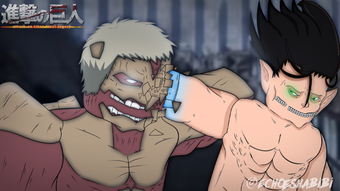

Titan Shifting Simulator for Roblox
The Titan Shifting Simulator for Roblox is a free desktop application developed by Final Legacy Inc. designed to enhance gameplay within the Roblox platform. This utility tool allows users to experience a simulated titan transformation mechanic, offering a unique interactive experience for Roblox enthusiasts. The software operates as a standalone application that integrates with Roblox, providing users with a visual and functional simulation of shifting into a titan form. It is tailored for Roblox players who enjoy immersive role-playing and fantasy-based gameplay elements.
Overview
Designed as a utility for Roblox, Titan Shifting Simulator serves as a tool to enrich the user’s in-game experience by introducing a simulation-based transformation feature. The software is particularly suited for players interested in fantasy-themed Roblox games, especially those involving giant beings or mythical creature transformations. By enabling a simulated shift into a titan form, it adds a layer of visual and interactive depth to gameplay. The application is free to use, making it accessible to a broad audience of Roblox users across different age groups and skill levels. Final Legacy Inc., the developer, has positioned this tool as a lightweight enhancement for Roblox, focusing on user engagement and creative expression.
Real-world usage scenarios include role-playing sessions in Roblox servers that emphasize transformation mechanics, custom game events, or community-driven storytelling. It may also be used for content creation, such as recording gameplay videos or streaming with enhanced visual effects. The software supports multiple languages, including English, Spanish, and Italian, which broadens its accessibility for international users. While the developer has not provided detailed system requirements, the application is compatible with both Windows and Mac operating systems. The current version is labeled as 0, suggesting it may be in an early or developmental phase.
Key Features & Capabilities
- Simulated Titan Transformation – Enables users to visually and functionally simulate shifting into a titan form within Roblox, enhancing immersion during gameplay.
- Multi-Language Support – Offers interface and content in English, Spanish, and Italian, supporting a global user base.
- Roblox Integration – Designed to work alongside the Roblox platform, allowing seamless interaction with existing games and servers.
- Lightweight Design – At 10.2 MB, the application is compact, minimizing storage impact and enabling quick installation.
- Free Access – Available at no cost, making it accessible to all Roblox users regardless of budget.
These features allow users to engage in creative role-playing, participate in themed game events, or enhance their streaming and content creation efforts. The simulation aspect provides a dynamic visual experience, ideal for players seeking to stand out in community-driven Roblox environments. The multi-language support ensures that users from diverse linguistic backgrounds can navigate and use the tool effectively. The lightweight nature of the software ensures it can run on a variety of systems without significant performance overhead.
User Interface, Workflow & Performance
The user interface of Titan Shifting Simulator is designed for simplicity and ease of use, aligning with the expectations of a utility tool. Navigation is likely streamlined to focus on the core function: initiating and managing the titan shift simulation. Users can expect a minimalistic layout with essential controls, such as a start/stop button for the transformation, visual indicators, and language selection. The workflow appears to be straightforward: launch the application, connect to Roblox, and activate the simulation with a single command.
Performance details were not specified by the developer. However, given the application’s size of 10.2 MB and its classification as a utility, it is expected to operate with minimal impact on system resources. The software is likely optimized for background operation, allowing it to run without interfering with Roblox gameplay. Stability and CPU/RAM behavior were not publicly documented. The developer did not provide information on resource usage, so performance observations are based on general software behavior patterns for lightweight applications.
Compatibility & System Requirements
Titan Shifting Simulator is compatible with both Windows and Mac operating systems. The current version is labeled as 0, which may indicate an early release or developmental stage. The installation size is 10.2 MB, suggesting a lightweight deployment that requires minimal disk space. The developer did not specify exact system requirements, including processor, RAM, or GPU details. As such, users should be aware that compatibility may vary depending on their hardware configuration.
Platform compatibility information is limited, but the software is designed to function alongside Roblox, which is known to run on a wide range of systems. The absence of detailed system requirements means users may need to test the software on their machines to confirm functionality. It is recommended to ensure that Roblox is properly installed and running before launching the simulator. The application supports multiple languages, including English, Spanish, and Italian, which may influence the user experience depending on the selected interface language.
Pros and Cons
Pros
- Free to use with no hidden costs
- Compact size of 10.2 MB for fast installation
- Multi-language support enhances global accessibility
- Designed for seamless integration with Roblox
- Simple interface suitable for casual users
Cons
- Exact system requirements were not listed
- Version number 0 may indicate an unstable or early release
- No official performance or stability data provided
- Limited developer information beyond the company name
- Compatibility with newer Roblox updates is unconfirmed
FAQ Section
Is Titan Shifting Simulator safe to use?
The software is published on Softonic, a trusted platform for downloadable applications. However, as it is a third-party utility for Roblox, users should ensure they follow Roblox’s community guidelines and terms of service when using it.
Does the software require an internet connection?
While the application itself may run offline after installation, it requires an active Roblox session to function. Therefore, a stable internet connection is necessary during gameplay.
Can I use this tool on both Windows and Mac?
Yes, the software is compatible with both Windows and Mac operating systems, as confirmed by the developer.
Is there a license type for this software?
Titan Shifting Simulator is distributed as free software with no explicit license terms provided. Users should refer to the developer’s official website or documentation for usage rights.
How often are updates released?
The current version is labeled as 0, and no update schedule has been published. Users should check the official source for any future releases.
Final Thoughts + CTA
Titan Shifting Simulator presents a unique, free utility for Roblox players seeking to enhance their in-game experience with a simulated titan transformation feature. Its lightweight design, multi-language support, and integration with Roblox make it a compelling option for fans of fantasy and role-playing games. While the lack of detailed system requirements and the version number 0 may raise concerns about stability, the software remains accessible and easy to use for those interested in creative gameplay enhancements.
It is particularly beneficial for content creators, community event organizers, and Roblox enthusiasts who enjoy immersive storytelling. The application’s simplicity and free access lower the barrier to entry, making it ideal for casual users and experimental players alike. Despite limited information on performance and updates, the tool delivers on its core promise: a fun, interactive way to simulate titan shifts within Roblox.
Download Titan Shifting Simulator now







